
Wider Aperture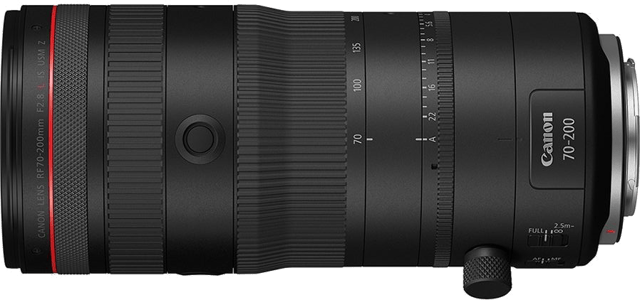
Canon RF 70-200mm F2.8 L IS USM Z
f/2.8 instead of f/4
Canon · 70–200 mm · f/4 · L · Image Stabilization
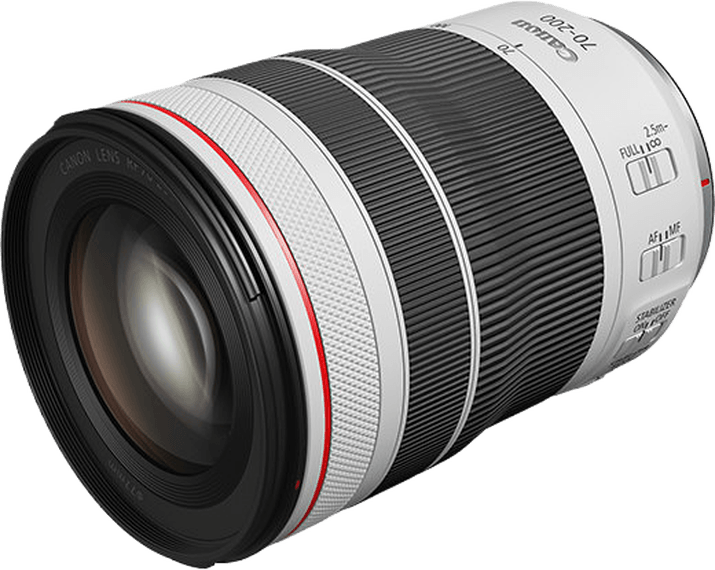
This lens score is calculated from published specifications.
General | |
|---|---|
About This LensThis Canon RF zoom covers 70–200mm on full-frame cameras. Canon introduced it in 2020. Its range suits portraits, outdoor events and details seen from a distance. You can change framing as a person moves, without changing lenses or immediately changing position. The main trade-off is light gathering. The f/4 maximum aperture stays available throughout the zoom, but dim venues may call for a higher ISO to retain a fast shutter speed. Its compact retracted body is useful when space in a camera bag matters. | |
| Brand | Canon |
| Release Year | 2020 |
Production Status ⓘCurrent status of lens manufacturing (e.g., in production, discontinued). |  In Production In Production |
Version ⓘThe iteration or release number of a particular lens model. | I |
Pro Branding ⓘSpecific branding codes used for professional-tier lenses. | L |
Lens Mount ⓘThe lens mount will tell you what type of lens range you can fit onto the camera body. Often the same camera company will have different lens ranges for different cameras. | Canon RF |
System ⓘIndicates which camera system the lens is designed to attach to. | Canon EOS R |
Maximum Format ⓘLargest sensor size compatible with the lens. |  Full Frame Full Frame |
Physical100/100 | |
About the BuildThe lens weighs 1 lb 8.5 oz (695 g) and measures 4.69 in (119 mm) long when retracted and 3.29 in (83.5 mm) across. A rest can take the load during long waits. Allow room for the extending barrel when working near obstacles. Screw-in filters must match the 77mm front thread. | |
| Lens Weight | 695 g |
Lens Diameter ⓘWidth of the lens at its widest point | 83.5 mm |
Lens Length ⓘHow long the lens is from front to back. | 119 mm |
Front Filter Compatible ⓘSome lenses are compatible with front filters, some are compatible with back filters and some are compatible with both. Front filters are usually more convenient to add and remove. |  Yes Yes |
Front Filter Size ⓘDiameter of attachable filters. | 77 mm |
Optics71/100 | |
About the OpticsAt 200mm, a person or building detail appears larger than at 70mm from the same position. The shorter setting includes more of the surroundings. Start wider when finding a moving subject, then tighten the framing while leaving space for its movement. The maximum aperture remains f/4 as you zoom. You can retain that opening when framing changes, though a different part of the scene may need a different exposure. A person moving between sunlight and shade may need a change in shutter speed or ISO. At portrait distances, f/4 can make a background soft when there is enough space behind the person. Objects immediately behind them may remain distracting. Choose a clear background before fine-tuning the framing. Stop down when several people at different distances need to stay sharp. Closest focus is 2 ft (60 cm) throughout the zoom, measured from the sensor. Maximum magnification reaches 0.28x at 200mm, useful for flowers and larger details. Anything nearer than the minimum distance is too close to focus. Leave room ahead of the glass so it does not shade the subject. | |
Focal Range ⓘShortest to longest focal length of the lens (zoom range start - end ) | 70–200 mm |
Aperture Range ⓘLargest aperture at the lens's shortest focal length to longest focal length (aperture range start - end) | 4 |
| Focal Length Angle of View | 34.34976958695978°–12.347926830487948° |
Flange Focal Distance ⓘDistance from lens mount to sensor. | 20 mm |
Diaphragm Type ⓘStructure and design of the aperture |  Automatic Automatic |
Blades ⓘNumber of diaphragm blades in aperture | 9020 |
Zoom Lens ⓘZoom allows you to vary the focal length, change between long shots and close-ups |  Yes Yes |
Zoom Mechanism ⓘSystem enabling zoom function |  Manual Manual |
Zoom Ring ⓘIf zooming is adjusted using a zoom ring |  Yes Yes |
Zoom Type ⓘThe design or approach to zooming |  Rotary Rotary |
Closest Focusing Distance ⓘMinimum distance for a subject to be in focus. | 60 cm01500 |
Maximum Magnification ⓘLargest size a subject can be reproduced | 0.28x |
| Autofocus Mode |  Yes Yes |
| Manual Mode |  Yes Yes |
| Manual Focusing Ring |  Yes Yes |
Features78/100 | |
About the FeaturesImage stabilization reduces camera shake and steadies the handheld view at longer settings. A still subject can allow a slower shutter speed. A walking guest or running child still needs enough shutter speed for their movement. Firm support remains useful for long exposures and carefully arranged compositions. Dust and moisture resistance help outdoors. Use cover in persistent rain. Fluorine coating helps water and oily marks wipe away from the front glass. Remove loose grit before cleaning, especially after working near sand or soil. The zoom lock keeps the barrel retracted for transport. Release it before changing focal length. Keep the retracted lens supported when taking it out of a bag. | |
Weather Sealing ⓘWeather sealing capabilities will give you more confidence when shooting in unfavourable conditions. |  Yes Yes |
Fluorine Coating ⓘCoating to repel water and oil from lens elements. |  Yes Yes |
| Built In Lens Hood | No |
| Lens Hood Type |  Round Round |
Zoom Lock ⓘZoom lock allows the zoom ring to be locked at the desired focal length |  Yes Yes |
Teleconverter ⓘA teleconverter (extender) is an extra piece of equipment that fits between the lens and the camera body to enhance magnification | No |
| Image Stabilization | Yes |
IS Efficiency ⓘIS efficiency refers to the effectiveness of the image stabilization system in compensating for the blurring effects of camera shake, quantified by the number of stops of stabilization it provides. | 5 stops |
Construction15/100 | |
About the ConstructionFour UD elements help reduce coloured fringes along high-contrast edges, such as a branch against bright sky. These special glass elements address chromatic aberration. Their number alone does not establish how much detail the finished lens resolves or how it compares with another telephoto. | |
Elements ⓘLens elements refer to individual pieces of glass within the lens. | 16 |
| Groups | 11 |
Aspherical Elements ⓘThe number of aspherical lens elements which can help correct aberrations such as spherical aberration. | 0 |
Bi Aspherical Elements ⓘElements with two non-spherical surfaces | 0 |
Low Dispersion ⓘElements that reduce chromatic aberration | 4 |
Super Low Dispersion ⓘAdvanced elements further reducing chromatic aberration | 0 |
CA Reduction ⓘBuilt-in features to reduce chromatic aberration | 0 |
Internal Focusing ⓘInternal Focusing means that the lens does not change in size during focusing, and the front element does not rotate. | No |
f/2.8 instead of f/4
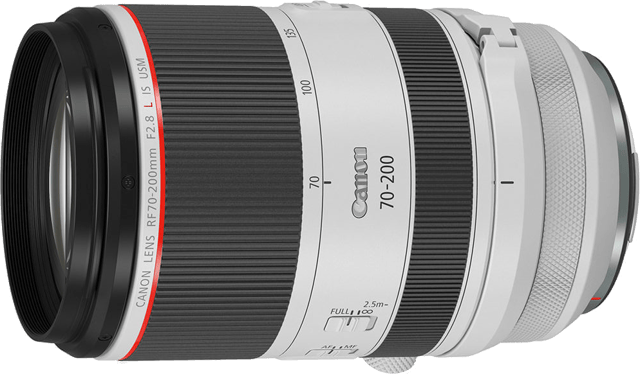
f/2.8 instead of f/4
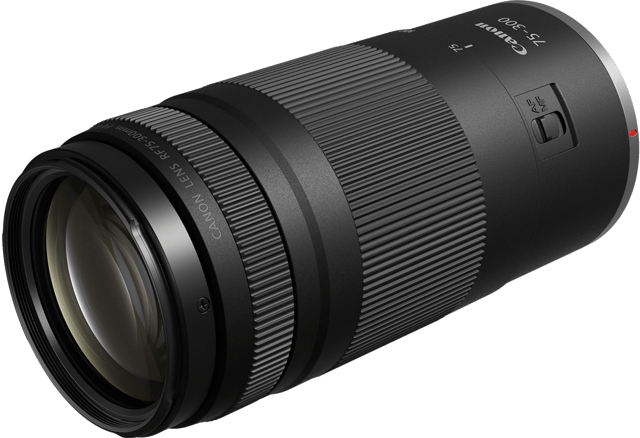
75–300 mm instead of 70–200 mm · f/4–5.6 instead of f/4