
Canon EOS M10 vs Fujifilm X-M1 — Which Is Better?
Side by side47 specifications |
Canon · Mirrorless · 18 MP · APS-C · Full HD video
Canon EOS M10
45
SCORE
|
Fujifilm · Mirrorless · 16 MP · APS-C · Full HD video
Fujifilm X-M1
51
WINNER
|
|---|---|---|
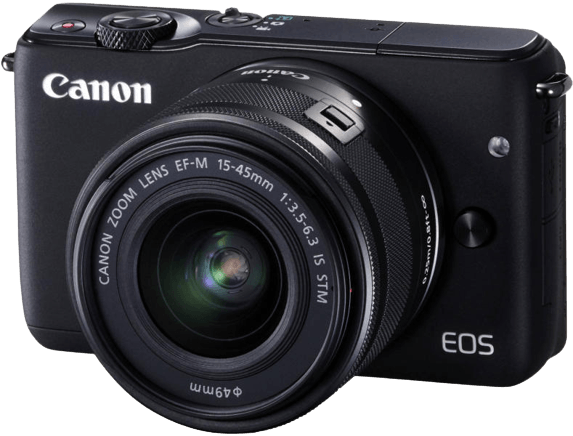 | 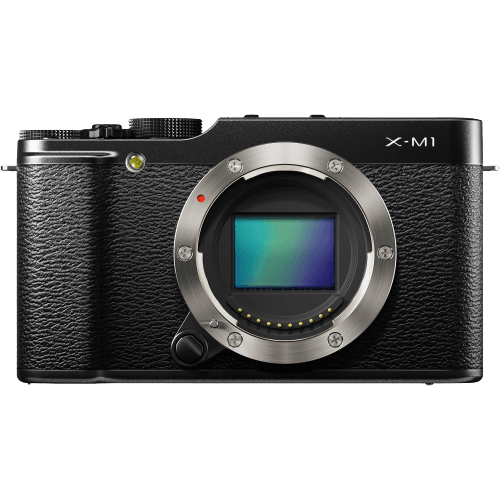 | |
| General | ||
Read the General ComparisonGeneralThe Canon EOS M10 and Fujifilm X-M1 are both compact mirrorless cameras, announced by Canon in October 2015 and Fujifilm in June 2016. The M10 is the smaller, lighter body: 108 x 67 x 35 mm and 301 g against 117 x 67 x 39 mm and 330 g for the X-M1, a 29 g difference. It slips into a small bag more easily. | ||
Released ⓘRefers to the year this camera was officially made available for sale. |
2015 | 2016 |
Announcement date ⓘRefers to the date the manufacturer publicly announced the upcoming release and general specs of this camera. |
October 13, 2015 | June 25, 2016 |
| Camera type |  Mirrorless Mirrorless | Mirrorless |
| Camera size | 108 x 67 x 35 mm | 117 x 67 x 39 mm |
| Camera weight | 301 g | 330 g |
| Optics | 42/100 | 53/100 |
Read the Optics ComparisonOpticsThe EOS M10 gives you more room to crop a distant subject or make larger prints, capturing 18 MP against 16 MP from the X-M1. The X-M1 is faster at 5.6 frames per second versus 4.6, a modest edge for fleeting expressions. Mount choice matters most long-term: the M10 takes Canon EF-M lenses, the X-M1 Fujifilm X lenses, and they do not interchange. Both pair an APS-C CMOS sensor with 49 autofocus points and a 1/4000 second top shutter speed. Neither offers a viewfinder or in-body stabilisation, so steady handheld work in dim rooms depends on the lens. The M10's native ISO ceiling of 12800 tops the X-M1's 6400, and both extend to 25600 ISO. | ||
Megapixels ⓘThe higher the number of megapixels, the more detail the cameras sensor can capture. |
18 MP050 | 16 MP050 |
Image resolution ⓘImage resolution is measured in pixels and megapixels, width by height. The higher the number, the higher its resolution. |
5184 x 3456 | 4896 x 3264 |
Sensor type ⓘThe camera sensor captures light and records the image. Sensors vary in physical size, the number of pixels, and quality. |
CMOS | CMOS |
Sensor size ⓘThe sensor size contributes to the overall quality as well as the dynamic and tonal range a camera can capture. As a rule of thumb, the more surface there is to read the light, the more information it will capture. |
14.9 x 22.3 | 23.5 x 15.6 |
Sensor format ⓘRefers to the most commonly used sensor sizes. |
 APS-C APS-C | APS-C |
Continuous shooting ⓘThe number of sequential frames per second the camera can write to the memory card when shooting in burst or continuous mode. |
4.6 fps045 | 5.6 fps045 |
Lens mount ⓘThe lens mount will tell you what type of lens range you can fit onto the camera body. Often the same camera company will have different lens ranges for different cameras. |
Canon EF-M | Fujifilm X |
Image processor ⓘThe image processor in the camera converts the information collected on the sensor for digital storage on the memory card. |
Digic 6 | EXR Processor II |
Aspect ratio ⓘThe aspect ratio refers to the proportional difference between width and height. The most popular aspect ratios are 3:2 and 4:3. |
 3:2 3:2 | 3:2 |
Min ISO ⓘRefers to the lowest native (or 'base') ISO setting. Lower ISO are less sensitive to light but make a cleaner image. |
12530200 | 20030200 |
Max ISO ⓘRefers to the highest native (or 'base') ISO setting. Higher ISO is necessary for low-light situations or night photography, but higher ISOs often introduce grain or noise. |
128003003280000 | 64003003280000 |
Min ISO (expanded) ⓘExpanded (or extended) ISO is a digitally enhanced feature available on some cameras. It allows you to push beyond the native ISO range if necessary. |
10030200 | 10030200 |
Max ISO (expanded) ⓘExpanded (or extended) ISO is a digitally enhanced feature available on some cameras. It allows you to push beyond the native ISO range if necessary. |
256003003280000 | 256003003280000 |
Minimum shutter speed ⓘThe minimum shutter speed will tell you the longest exposure your camera can take without using an external accessory. |
3044080 | 3044080 |
Max shutter speed ⓘThe maximum shutter speed tells you the length inside 1 second the camera will capture. These can sometimes be extended with accessories such as extra external batteries. |
400080032000 | 400080032000 |
Autofocus points ⓘAutofocus points show where the camera is focusing graphically as squares or brackets in Live View or on an electronic viewfinder. These points are also used for light meter readings. |
490300 | 490300 |
In-body stabilisation ⓘIn-body Stabilization means the camera has a certain technology embedded that counteracts camera shake. |
✗ | ✗ |
Viewfinder type ⓘThe viewfinder type is either electronic or optical. Electronic viewfinders will have a small screen in the viewfinder. Optical viewfinders will use prisms and mirrors to look through the lens. |
None | None |
| Viewfinder dots | N/A | N/A |
| Video | 57/100 | 43/100 |
Read the Video ComparisonVideoBoth cameras record video with the same ceilings: Full HD maximum resolution and a 30 fps maximum frame rate, enough for family clips. Timelapse is the practical difference: the M10 offers a built-in mode for sunset or cloud sequences, the X-M1 does not. The M10 records MPEG-4 and the X-M1 MOV, which can matter for editing compatibility. | ||
Video ⓘIndicates if this camera is capable of recording video. |
 Yes Yes | Yes |
Max video resolution ⓘThe best resolution this camera can capture video in. Modern cameras can capture up to 8K video. |
 Full HD Full HD | Full HD |
Max video format ⓘVideo resolution measured by the greatest number of pixels possible in each frame, width by height. A higher resolution means more detail or clarity in your video. |
1920 x 1080 | 1920 x 1080 |
Max video frame rate ⓘHow many frames per second your video will capture. Most cameras have options for multiple frame rates, depending on the resolution you shoot in. For a general video, 24p or 30p is the standard, but more serious filmmakers may need a higher frame rate for creative effect. |
30 fps | 30 fps |
Timelapse built in ⓘA built in time-lapse mode will allow continuous shooting throughout a prolonged period of time to be compressed into a sped up video. |
 Yes Yes | No |
Video file format ⓘDifferent cameras can record in various video file formats. The File format you record in can impact how you edit and use the files. |
MPEG-4 | MOV |
| Features | 57/100 | 54/100 |
Read the Features ComparisonFeaturesTouch control makes the M10 the easier camera for one-handed shooting: you can tap to place the focus point while composing on the flip-out screen, and the X-M1 has no touch input at all. The M10's screen also shows finer detail at 1,040,000 dots against 920,000, which helps when checking focus on a captured portrait. The X-M1 answers with useful extras of its own. It supports an external flash for stronger, better-placed light in indoor portraits, where the M10 offers only its pop-up unit, and its Bluetooth keeps a phone paired for easy transfer. Both share a built-in flash, Wi-Fi, a 3-inch tilting LCD and live view, and neither has GPS for geotagging travel photos or weather sealing for rain protection. | ||
Builtin flash ⓘA built-in flash will often be positioned right above the lens. This will automatically pop up when you activate it. |
 Yes Yes | Yes |
External flash ⓘExternal flashes are often connected through a hot shoe at the top of a camera, or a cable at the side of the camera. |
No |  Yes Yes |
GPS ⓘGPS features in a camera will include location metadata to each of your photographs. |
✗ | ✗ |
Weather sealing ⓘWeather sealing capabilities will give you more confidence when shooting in unfavourable conditions. |
✗ | ✗ |
| Screen type | LCD | LCD |
Touch screen ⓘTouchscreen allows you to change camera settings and access menus with a swipe of your finger, instead of using buttons. |
 Yes Yes | No |
| Screen size | 3" | 3" |
Screen dots ⓘScreen dots indicate the resolution of the LCD screen by including each sub pixel. |
10400001150001500000 | 9200001150001500000 |
Flip screen ⓘA flip screen (or articulating screen) is a second screen which can flip out from the side or top of the camera. This rotating screen allows you more freedom to take photos at different angles. |
 Yes Yes | Yes |
Live view ⓘLive View feature allows you to see a continuous live video of what is being seen through your lens. |
 Yes Yes | Yes |
Wi-Fi ⓘBuilt-in Wi-Fi allows you to connect your camera and share images wirelessly. |
 Yes Yes | Yes |
Bluetooth ⓘBluetooth capabilities allow you wireless control of your camera with other external devices. |
No |  Yes Yes |
| Storage & battery | 16/100 | 21/100 |
Read the Storage & battery ComparisonStorage and BatteryThe X-M1 is the better companion for a full day out, rated at 350 shots against 255 for the M10 under their test conditions. Its slot also supports UHS-I SD cards for faster writes with a suitable card. Each camera has a single card slot and neither charges over USB, so carry a spare battery. | ||
| Memory card | SD / SDHC / SDXC | SD / SDHC / SDXC (UHS-I compatible) |
| Dual memory card slots | ✗ | ✗ |
| Battery type | LP-E12 | NP-W126 |
Battery life ⓘApproximately how long this cameras battery will last measured by how many photographs you will be able to take. |
255 shots1505000 | 350 shots1505000 |
| USB charging | ✗ | ✗ |
Read: Verdict
Verdict
Buy the EOS M10 for casual, spontaneous photography. Tapping focus on the tilting screen suits street and cafe shooting, the extra megapixels help when cropping a market scene, and built-in timelapse covers sunset sequences.
Pick the X-M1 for longer outings: its 350-shot rating and faster 5.6 fps burst suit a day of kids' sports, and it adds an external flash for indoor portraits and Bluetooth for phone transfer. Compare the Canon EF-M and Fujifilm X lenses you need before deciding.