
Olympus OM-D E-M1 Mark II vs Olympus OM-D E-M10 Mark II — Which Is Better?
Side by side47 specifications |
Olympus · Mirrorless · 20.4 MP · Micro Four Thirds · 4K video
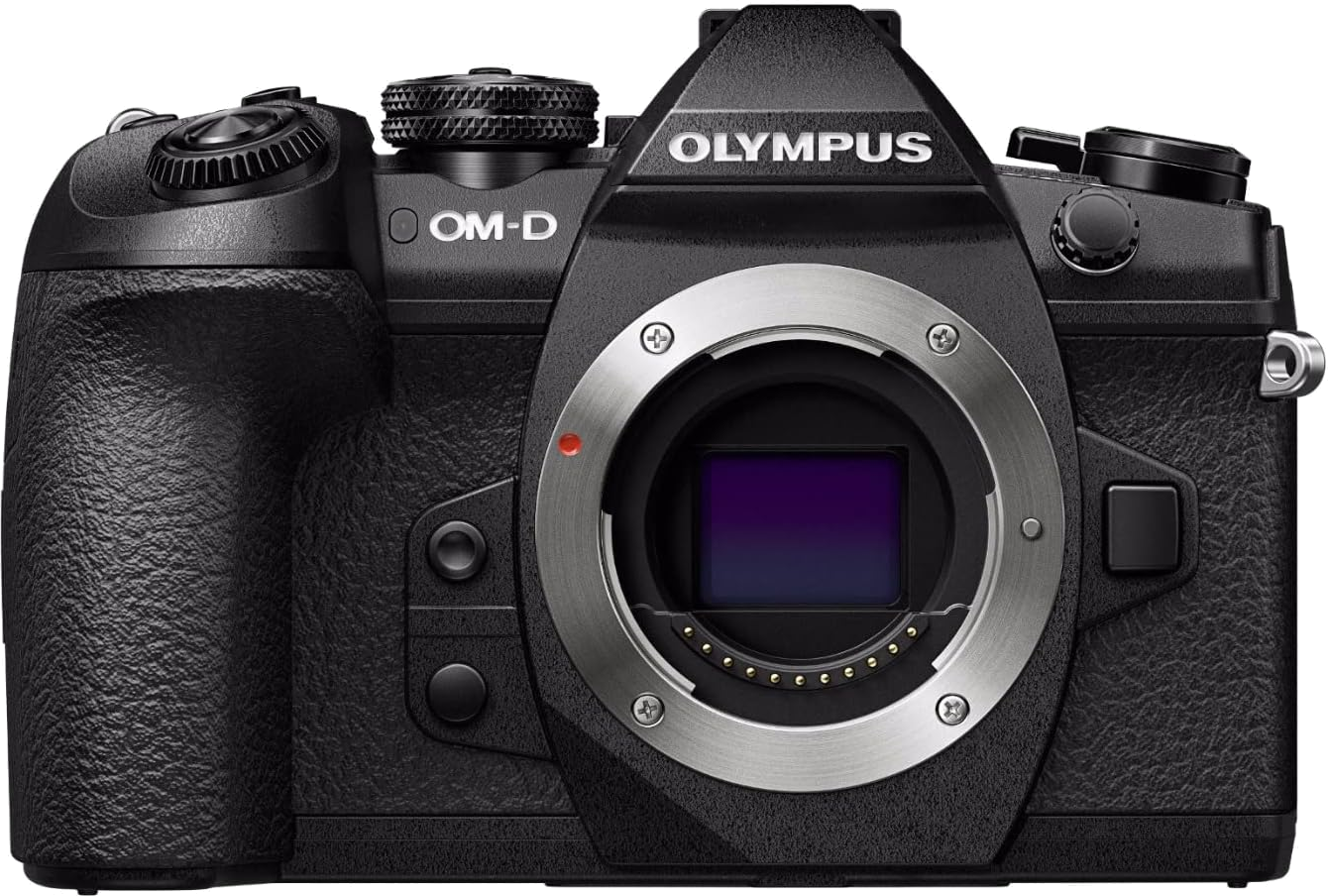
Olympus OM-D E-M1 Mark II
65
WINNER
|
Olympus · Mirrorless · 16.1 MP · Micro Four Thirds · Full HD video
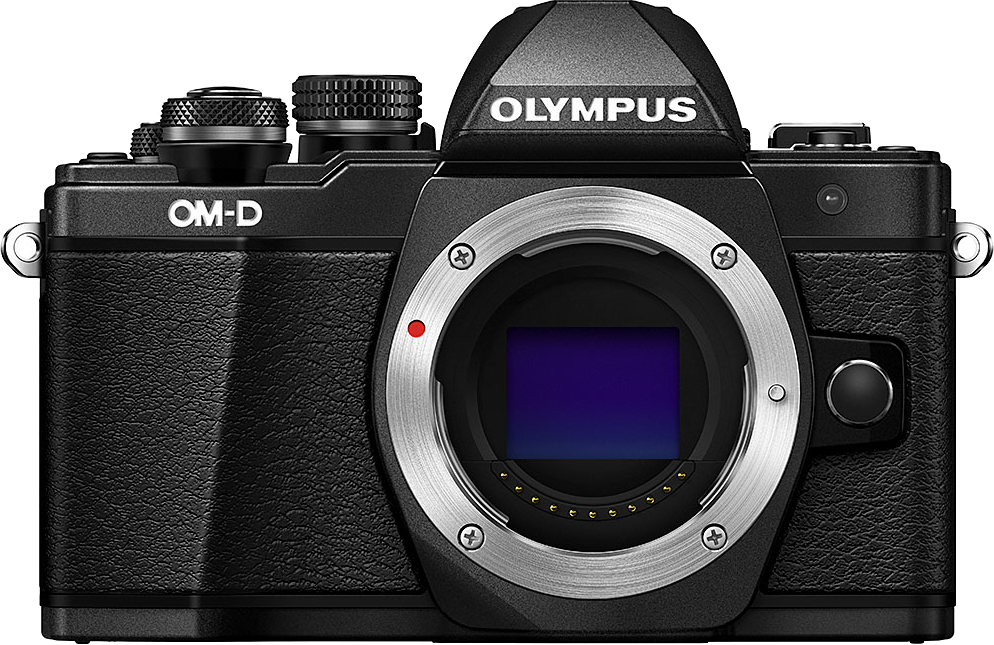
Olympus OM-D E-M10 Mark II
51
SCORE
|
|---|---|---|
 |  | |
| General | ||
Read the General ComparisonGeneralBetween the Olympus OM-D E-M1 Mark II and the Olympus OM-D E-M10 Mark II, the E-M10 Mark II is the easier camera to pack for travel. Both are mirrorless cameras from 2016 and 2015 respectively, and the E-M10 Mark II weighs 390 g against 574 g. Body size points the same way, at 120 x 83 x 47 mm against 134 x 91 x 67 mm, so the E-M10 Mark II takes up less room in a bag. | ||
Released ⓘRefers to the year this camera was officially made available for sale. |
2016 | 2015 |
Announcement date ⓘRefers to the date the manufacturer publicly announced the upcoming release and general specs of this camera. |
September 19, 2016 | August 25, 2015 |
| Camera type |  Mirrorless | Mirrorless |
| Camera size | 134 x 91 x 67 mm | 120 x 83 x 47 mm |
| Camera weight | 574 g | 390 g |
| Optics | 64/100 | 52/100 |
Read the Optics ComparisonOpticsThe E-M1 Mark II is the stronger choice for action and wildlife. Its 20.4 megapixels against 16.1 leave more pixels on a distant bird after a crop. A maximum burst of 60 fps against 8 fps captures the peak moment, and 121 autofocus points against 81 help lock onto erratic subjects. The 1/32000 second shutter limit, against 1/4000, allows wide apertures in bright light. Lens choices carry across, since both use the Micro 4/3 mount with a Micro Four Thirds CMOS sensor. Both offer in-body stabilisation for handheld shots at slower shutter speeds. The electronic viewfinder in both shows 2,360,000 dots. | ||
Megapixels ⓘThe higher the number of megapixels, the more detail the cameras sensor can capture. |
20.4 MP050 | 16.1 MP050 |
Image resolution ⓘImage resolution is measured in pixels and megapixels, width by height. The higher the number, the higher its resolution. |
5184 x 3888 | 4608 x 3456 |
Sensor type ⓘThe camera sensor captures light and records the image. Sensors vary in physical size, the number of pixels, and quality. |
CMOS | CMOS |
Sensor size ⓘThe sensor size contributes to the overall quality as well as the dynamic and tonal range a camera can capture. As a rule of thumb, the more surface there is to read the light, the more information it will capture. |
13 x 17.4 | 13 x 17.3 |
Sensor format ⓘRefers to the most commonly used sensor sizes. |
 Micro Four Thirds | Micro Four Thirds |
Continuous shooting ⓘThe number of sequential frames per second the camera can write to the memory card when shooting in burst or continuous mode. |
60 fps045 | 8 fps045 |
Lens mount ⓘThe lens mount will tell you what type of lens range you can fit onto the camera body. Often the same camera company will have different lens ranges for different cameras. |
Micro 4/3 | Micro 4/3 |
Image processor ⓘThe image processor in the camera converts the information collected on the sensor for digital storage on the memory card. |
TruePic VIII | TruePic VII |
Aspect ratio ⓘThe aspect ratio refers to the proportional difference between width and height. The most popular aspect ratios are 3:2 and 4:3. |
 4:3 | 4:3 |
Min ISO ⓘRefers to the lowest native (or 'base') ISO setting. Lower ISO are less sensitive to light but make a cleaner image. |
20030200 | 20030200 |
Max ISO ⓘRefers to the highest native (or 'base') ISO setting. Higher ISO is necessary for low-light situations or night photography, but higher ISOs often introduce grain or noise. |
256003003280000 | 256003003280000 |
Min ISO (expanded) ⓘExpanded (or extended) ISO is a digitally enhanced feature available on some cameras. It allows you to push beyond the native ISO range if necessary. |
6430200 | 10030200 |
Max ISO (expanded) ⓘExpanded (or extended) ISO is a digitally enhanced feature available on some cameras. It allows you to push beyond the native ISO range if necessary. |
256003003280000 | 256003003280000 |
Minimum shutter speed ⓘThe minimum shutter speed will tell you the longest exposure your camera can take without using an external accessory. |
6044080 | 6044080 |
Max shutter speed ⓘThe maximum shutter speed tells you the length inside 1 second the camera will capture. These can sometimes be extended with accessories such as extra external batteries. |
3200080032000 | 400080032000 |
Autofocus points ⓘAutofocus points show where the camera is focusing graphically as squares or brackets in Live View or on an electronic viewfinder. These points are also used for light meter readings. |
1210300 | 810300 |
In-body stabilisation ⓘIn-body Stabilization means the camera has a certain technology embedded that counteracts camera shake. |
 Yes | Yes |
Viewfinder type ⓘThe viewfinder type is either electronic or optical. Electronic viewfinders will have a small screen in the viewfinder. Optical viewfinders will use prisms and mirrors to look through the lens. |
Electronic | Electronic |
| Viewfinder dots | 236000009900000 | 236000009900000 |
| Video | 83/100 | 79/100 |
Read the Video ComparisonVideo4K recording gives the E-M1 Mark II the sharper video output, while the E-M10 Mark II tops out at Full HD. That extra resolution holds up on a large screen and leaves room to reframe a clip in editing. The E-M10 Mark II reaches 120 fps against 60, which supports slower-motion playback. Built-in timelapse is a shared capability, so interval work such as a sunset or passing clouds needs no external intervalometer on either camera. | ||
Video ⓘIndicates if this camera is capable of recording video. |
 Yes | Yes |
Max video resolution ⓘThe best resolution this camera can capture video in. Modern cameras can capture up to 8K video. |
 4K |  Full HD |
Max video format ⓘVideo resolution measured by the greatest number of pixels possible in each frame, width by height. A higher resolution means more detail or clarity in your video. |
4096 x 2160 | 1920 x 1080 |
Max video frame rate ⓘHow many frames per second your video will capture. Most cameras have options for multiple frame rates, depending on the resolution you shoot in. For a general video, 24p or 30p is the standard, but more serious filmmakers may need a higher frame rate for creative effect. |
60 fps | 120 fps |
Timelapse built in ⓘA built in time-lapse mode will allow continuous shooting throughout a prolonged period of time to be compressed into a sped up video. |
 Yes | Yes |
Video file format ⓘDifferent cameras can record in various video file formats. The File format you record in can impact how you edit and use the files. |
MOV, AVI | avi |
| Features | 70/100 | 57/100 |
Read the Features ComparisonFeaturesWeather sealing makes the E-M1 Mark II the pick for rain or dust on location, protection the E-M10 Mark II does not have. The E-M10 Mark II answers with a built-in flash for fill light indoors, while the E-M1 Mark II needs an external unit, which both support. Neither has GPS, so travel photos receive no in-camera location data. Rear-screen control matches on both, with a 3-inch LCD touchscreen that flips out for waist-level or overhead framing. Dot counts sit 3,000 apart at 1,037,000 and 1,040,000. Both transfer images over WiFi, and neither has Bluetooth. | ||
Builtin flash ⓘA built-in flash will often be positioned right above the lens. This will automatically pop up when you activate it. |
No |  Yes |
External flash ⓘExternal flashes are often connected through a hot shoe at the top of a camera, or a cable at the side of the camera. |
 Yes | Yes |
GPS ⓘGPS features in a camera will include location metadata to each of your photographs. |
✗ | ✗ |
Weather sealing ⓘWeather sealing capabilities will give you more confidence when shooting in unfavourable conditions. |
 Yes | No |
| Screen type | LCD | LCD |
Touch screen ⓘTouchscreen allows you to change camera settings and access menus with a swipe of your finger, instead of using buttons. |
 Yes | Yes |
| Screen size | 3" | 3" |
Screen dots ⓘScreen dots indicate the resolution of the LCD screen by including each sub pixel. |
10370001150001500000 | 10400001150001500000 |
Flip screen ⓘA flip screen (or articulating screen) is a second screen which can flip out from the side or top of the camera. This rotating screen allows you more freedom to take photos at different angles. |
 Yes | Yes |
Live view ⓘLive View feature allows you to see a continuous live video of what is being seen through your lens. |
 Yes | Yes |
Wi-Fi ⓘBuilt-in Wi-Fi allows you to connect your camera and share images wirelessly. |
 Yes | Yes |
Bluetooth ⓘBluetooth capabilities allow you wireless control of your camera with other external devices. |
✗ | ✗ |
| Storage & battery | 57/100 | 21/100 |
Read the Storage & battery ComparisonStorage and BatteryTwo card slots make the E-M1 Mark II the more practical body for a long event, keeping a second card loaded when the first fills. The E-M10 Mark II has a single slot. The E-M1 Mark II's BLH-1 battery is rated for 440 shots against 320 for the BLS-50 in the E-M10 Mark II. Both take the same SD, SDHC and SDXC cards, and neither charges its battery over USB. | ||
| Memory card | SD / SDHC / SDXC | SD / SDHC / SDXC |
| Dual memory card slots |  Yes | No |
| Battery type | BLH-1 | BLS-50 |
Battery life ⓘApproximately how long this cameras battery will last measured by how many photographs you will be able to take. |
440 shots1505000 | 320 shots1505000 |
| USB charging | ✗ | ✗ |
Read: Verdict
Verdict
Pick the E-M1 Mark II for sports, wildlife and long days outdoors. Its 60 fps burst and 121 autofocus points support demanding action, and 4K video gives the sharper record. Weather sealing handles changeable conditions, and two card slots carry a full day's files.
The E-M10 Mark II suits travel and everyday shooting, with a smaller body to pack and a built-in flash for dim rooms. Its 120 fps ceiling adds slow-motion potential to casual clips, and either way you keep the same lens range, stabilisation and a 2,360,000-dot viewfinder.