
The Sony a6700 is our first choice for filming friends and taking skate photos with one camera. Its lens system can cover close follow shots and distant tricks. Subject-tracking autofocus and in-body stabilization help when you are working alone. A camcorder gives you built-in zoom control, while an action camera is the smaller choice for recording your own ride.
My friends and I were hooked on classic skate videos during our school years. We tried to emulate our heroes captured on video. We filmed our skateboarding videos on cheap equipment. Thankfully, our terrible skate films are lost forever!
You do not need an expensive camera to start. A phone can show whether you enjoy following a line, finding a long-lens angle or editing a session. These seven cameras make sense when you know which part of that job your phone cannot do well.
Our Picks at a Glance
All 7 Cameras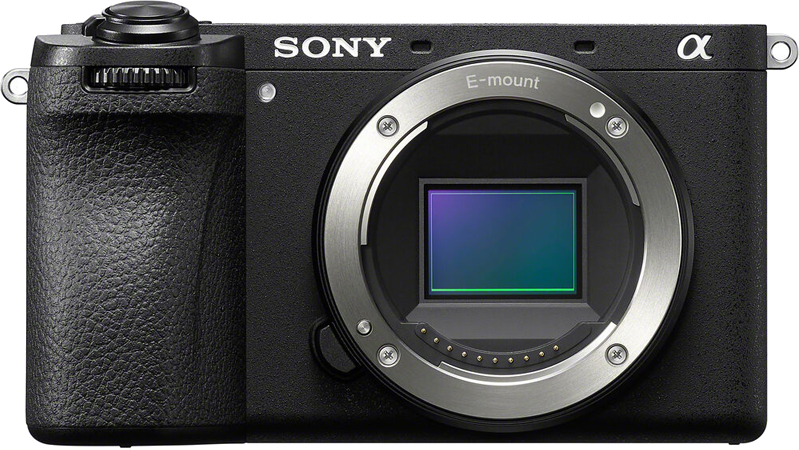
A compact lens system for filming friends and taking skate photos.
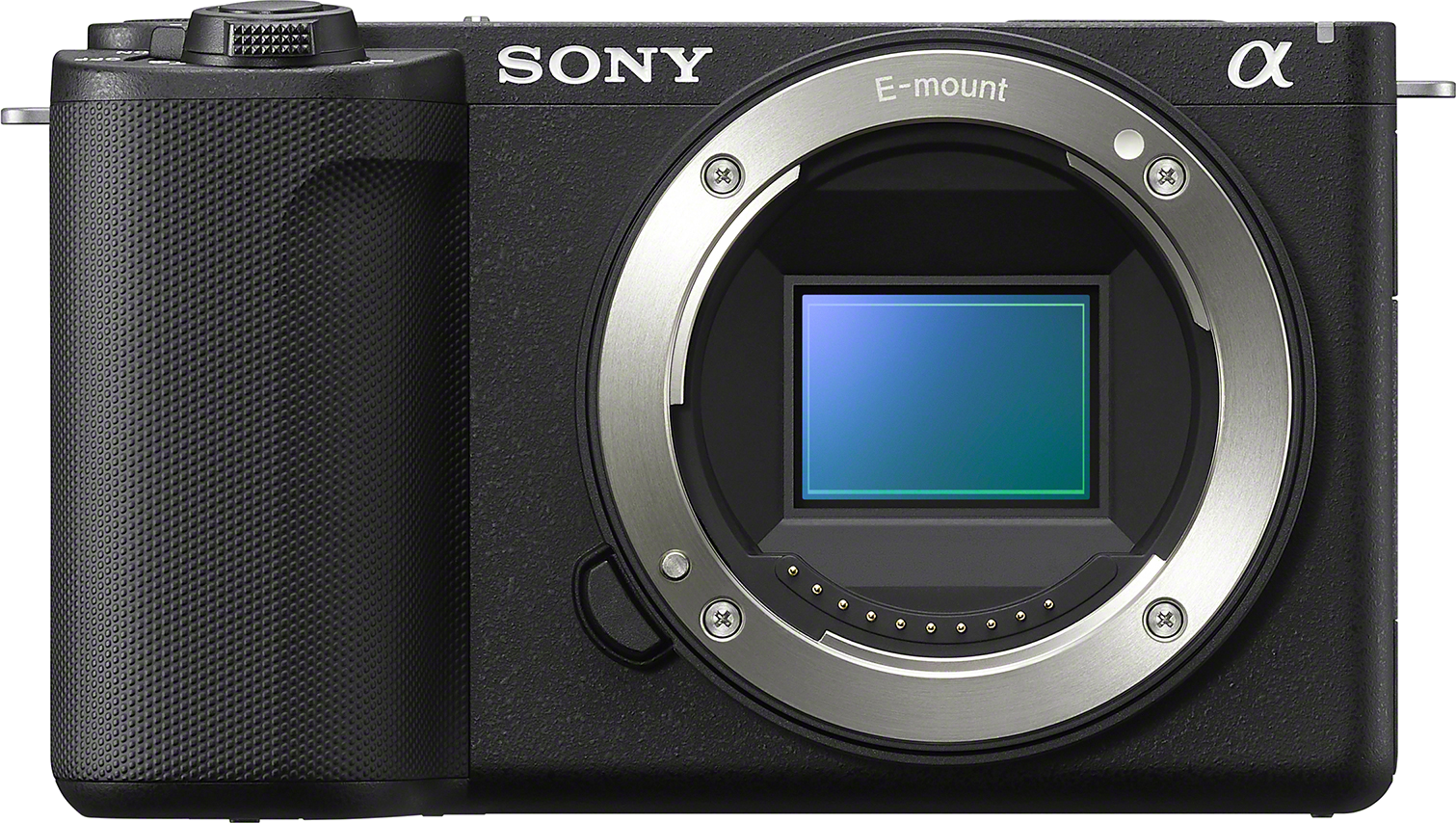
Spend less on the body and keep room for the lens you need.
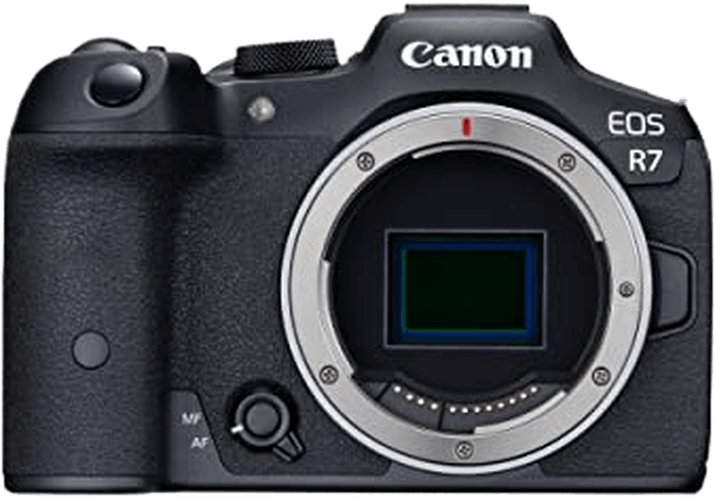
Prioritize still-photo sequences while retaining useful 4K video.
The Best Cameras for Skateboarding
A filmer needs control over where the camera points and how the lens frames the trick. A rider recording POV needs a small camera and a suitable mount. A 360° camera lets you choose the view later, at the cost of more editing. The three quick picks suit people who also want interchangeable lenses and still photos; the full list includes the camcorder, POV and 360° alternatives.
- Subject recognition helps track a moving skater
- 4K120p adds slow-motion options, with a crop
- In-body stabilization supports handheld shooting
- 26 MP photos and a viewfinder suit mixed sessions
- Internal 4K120p for detailed slow motion
- Native Micro Four Thirds fisheye lens option
- Cooling fan supports demanding video work
- Mic and headphone sockets; optional XLR adapter
- 24× powered zoom is built in
- Two manual rings give direct control
- Built-in ND filters help in bright light
- Dual SD slots support relay recording
- Sony E mount leaves room to upgrade lenses
- Optional 16–50mm kit adds powered zoom
- Mic and headphone sockets for sound control
- 4K120p available with a free license
- 32.5 MP photos leave room to crop
- Up to 15 fps with the mechanical shutter
- In-body stabilization for handheld work
- Two SD slots plus mic and headphone sockets
- Small fixed-lens camera for a suitable POV mount
- Normal 16:9 4K recording reaches 120 fps
- 50 GB usable storage plus microSD
- Compatible DJI mics connect wirelessly
- Choose the viewing angle after filming
- 360° capture at 8K30p or 5.7K60p
- Replaceable outer lenses simplify repairs
- FlowState stabilization for edited footage
The Best Skateboarding Cameras in Detail
Start with the whole setup. A camera body needs a lens, and a low-angle filming rig may also need a handle and microphone. High frame rates can narrow the view or disable features you expected to use. For a low follow shot, check how wide the fisheye stays in the slow-motion mode you plan to use.
Sony a6700
- Internal UHD 4K
- 120p, 10-bit; extra crop
- Lens Setup
- Sony E; lens separate
- External Audio
- 3.5 mm mic + headphones
- Recording Media
- 1 × SD, UHS-II
Strengths
- Subject recognition helps track a moving skater
- 4K120p adds slow-motion options, with a crop
- In-body stabilization supports handheld shooting
- 26 MP photos and a viewfinder suit mixed sessions
Trade-Offs
- Lens costs extra
- 4K120p narrows the view
The Sony a6700 makes the strongest all-round choice here because it can cover a skate session without committing you to one filming style. Its 26 MP photos and viewfinder make it useful between video clips, while its subject-recognition autofocus can help keep a moving skater in focus. This is a better starting point than a dedicated video rig if you want both a finished edit and photographs from the day.
The E-mount lens choice is part of the appeal. Sony's E PZ 10–20mm offers a wide view and powered zoom in a small lens. It is a rectilinear wide-angle lens, so it will not give you the curved lines of a fisheye. Allow for the lens in your budget; the body-only offer does not include it.
For slow motion, the camera records 4K at up to 120p. That mode applies a substantial extra crop, which can cut off a board or landing that fits comfortably at a lower rate. Active electronic stabilization is also unavailable at 120p. The mechanical in-body system and the electronic Active mode are separate features.
The LUMIX GH7 below offers more recording tools and a native fisheye option. The a6700 keeps the kit smaller for a day split between photos and video. Its microphone and headphone sockets let you connect a wind-protected microphone and monitor the sound of a line without buying a separate audio adapter.
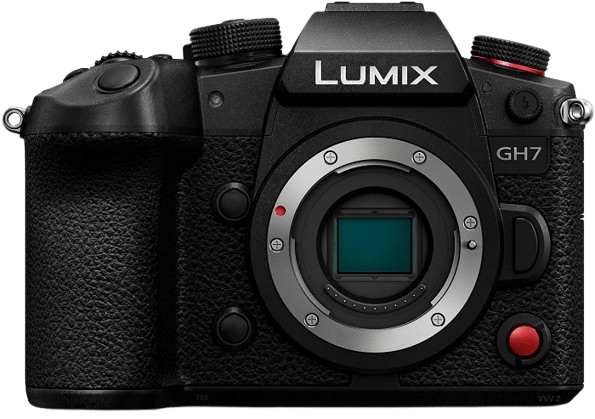
Panasonic LUMIX GH7
- Internal UHD 4K
- 120p, 10-bit
- Lens Setup
- Micro Four Thirds; lens separate
- External Audio
- 3.5 mm; XLR adapter optional
- Recording Media
- CFexpress B + SD; SSD option
Strengths
- Internal 4K120p for detailed slow motion
- Native Micro Four Thirds fisheye lens option
- Cooling fan supports demanding video work
- Mic and headphone sockets; optional XLR adapter
Trade-Offs
- Larger rig than the a6700
- Some formats need faster media
The Panasonic LUMIX GH7 is the pick for a filmer building a system around video. It records internal 4K120p, has phase-detection autofocus and uses a cooling fan. Those features suit repeated attempts and longer sessions, though they are not a promise of unlimited recording in every format or temperature.
For the classic close fisheye look, Panasonic's Lumix 8mm Fisheye uses the same Micro Four Thirds mount. Its 180° diagonal view gives you a real fisheye option without adapting an old camcorder attachment. The lens is a separate purchase. Add a compatible cage and handle only if you need the low grip position; neither is built into the body.
The GH7 also gives you room to improve the sound. A 3.5 mm microphone input and headphone output are built in. Panasonic's optional DMW-XLR2 adds XLR connections and supports 32-bit float recording with this camera. That extra unit is useful for a more elaborate production, but ordinary skate footage does not require it.
The cost is a larger rig and more choices to manage. The two card slots take different media: CFexpress Type B and SD. Some recording formats need the faster card or a supported external SSD, so a spare SD card is not a universal substitute. The Sony a6700 is easier to justify when you want a smaller camera for photos as well. The GH7 earns its place when the video and lens setup comes first.
Panasonic HC-X1600
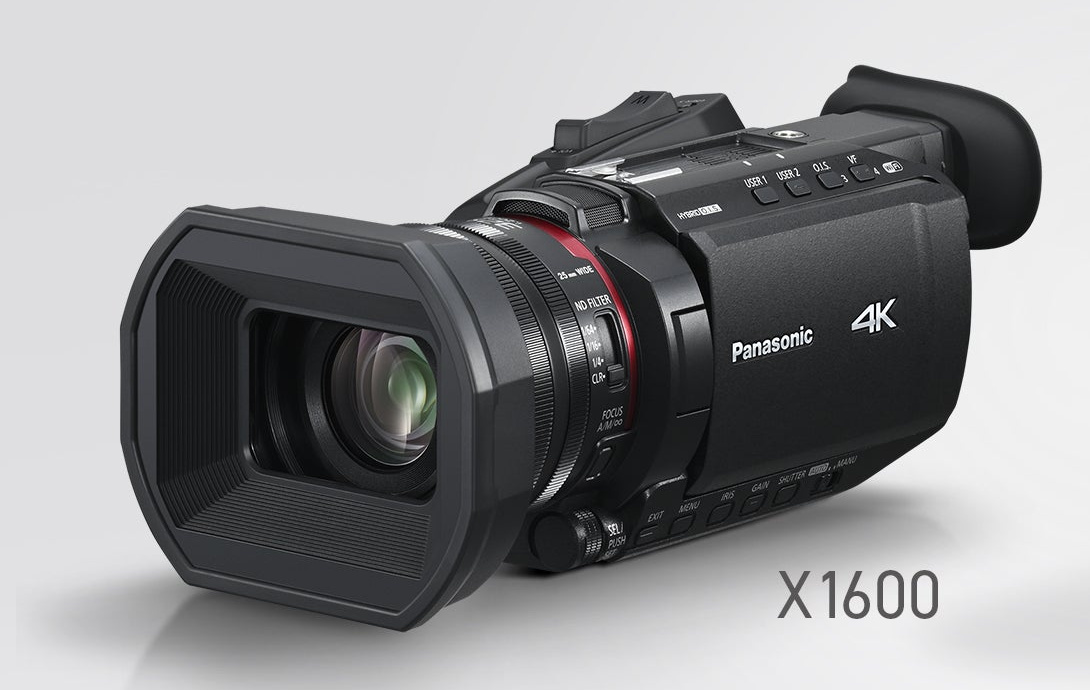
- Internal UHD 4K
- 60p, 10-bit 4:2:0
- Lens Setup
- Built-in 24×; 25–600mm equiv.
- External Audio
- 3.5 mm; XLR handle optional
- Recording Media
- 2 × SD; relay recording
Strengths
- 24× powered zoom is built in
- Two manual rings give direct control
- Built-in ND filters help in bright light
- Dual SD slots support relay recording
Trade-Offs
- VW-HU1 top handle costs extra
- Fixed lens does not provide a fisheye view
The Panasonic HC-X1600 is for the filmer who wants a camcorder's zoom control without assembling a body-and-lens system. Its built-in 24× optical zoom covers a 25–600mm equivalent range. You can frame a distant obstacle, then pull back for the approach without changing lenses.
Two manual rings and built-in neutral-density filters give you direct control over focus, zoom and exposure. The filters are useful when bright daylight would otherwise force a shutter-speed or aperture change. Dual SD slots also support relay recording, so the camera can continue onto the second card when the first fills.
The HC-X1600 does not include the VW-HU1 top handle. That optional handle adds two XLR audio inputs and a light. Its grip can also help with low-angle work. The bare camcorder still has a 3.5 mm microphone socket. If you need the handle, include it in the total cost of the setup.
Its internal 4K60p mode uses 10-bit 4:2:0 recording; 10-bit 4:2:2 tops out at 4K30p. It also lacks the LUMIX GH7's interchangeable fisheye option. A 25mm equivalent wide end is useful, but it is not the same perspective as a fisheye placed close to a skater. This Panasonic suits controlled zoom shots and camcorder handling. The GH7 adds interchangeable lenses, while the Sony a6700 is the more compact choice for both filming and still photography.
Sony ZV-E10 II
- Internal UHD 4K
- 60p; 120p with free license
- Lens Setup
- Sony E; 16–50mm kit optional
- External Audio
- 3.5 mm mic + headphones
- Recording Media
- 1 × SD, UHS-II
Strengths
- Sony E mount leaves room to upgrade lenses
- Optional 16–50mm kit adds powered zoom
- Mic and headphone sockets for sound control
- 4K120p available with a free license
Trade-Offs
- No in-body stabilization or viewfinder
- High-rate upgrade adds a crop
The Sony ZV-E10 II is a lower-cost way into the same E-mount system as the Sony a6700. It leaves more of the budget for a lens if most of your output is video. The body-only offer and the kit with the E PZ 16–50mm OSS II are different purchases.
That kit lens gives you powered zoom and optical stabilization in a compact package. It is a practical starting point for clips from the side of a park, but it is not an especially wide follow-filming lens. The separate 10–20mm power zoom is the wider option. Buying the cheaper body and a more suitable lens can make more sense than buying a better body with a lens you soon replace.
As supplied, the camera records up to 4K60p. Sony also offers a free 4K120p upgrade license. Installing it adds the higher rate, with a substantial crop and no Active stabilization at 120p. Do not assume a newly opened camera already has the license installed.
There is no in-body stabilization or viewfinder. Its electronic-only still shutter also makes it a less appealing choice for fast skate photos than the a6700 or Canon EOS R7. The microphone and headphone sockets remain useful for video. A supplied windscreen helps reduce wind noise at the built-in microphone outdoors. Pay for the a6700 when its stills handling and in-body stabilization will get regular use.
Canon EOS R7
- Internal UHD 4K
- 60p standard; 30p Fine
- Lens Setup
- Canon RF/RF-S; lens separate
- External Audio
- 3.5 mm mic + headphones
- Recording Media
- 2 × SD, UHS-II
Strengths
- 32.5 MP photos leave room to crop
- Up to 15 fps with the mechanical shutter
- In-body stabilization for handheld work
- Two SD slots plus mic and headphone sockets
Trade-Offs
- No 4K120p recording
- 4K Fine mode stops at 30p
The Canon EOS R7 is our still-photo choice. Its 32.5 MP sensor leaves room to crop, while its mechanical shutter can shoot at up to 15 fps under Canon's stated conditions. That gives you several chances to catch the position of the board during a trick without relying on the electronic shutter's headline burst rate.
Canon warns that electronic-shutter shots can show distortion, so the fastest setting is not automatically the best one for a board or body moving across the frame. In-body stabilization helps with camera movement, but it cannot freeze a moving skater. The R7's viewfinder and physical controls make more sense for a photo-led day than the screen-only Sony ZV-E10 II.
Video is still a useful part of the package. Standard 4K reaches 60p, while the more detailed oversampled 4K Fine setting tops out at 30p. Do not read those as one combined 4K Fine 60p mode. You also get two SD slots, a microphone input and a headphone socket.
Choose an RF or RF-S lens for the native mount. Existing EF and EF-S lenses need the appropriate EF-EOS R adapter; a fisheye attachment intended for a camcorder is not a direct substitute. The Sony a6700 offers 4K120p when slow motion takes priority. The R7 is the better fit here when the main goal is photographs, with video clips alongside them.
DJI Osmo Action 6

- Internal UHD 4K
- 120 fps in 16:9 Video mode
- Lens Setup
- Fixed wide lens; no optical zoom
- External Audio
- Compatible DJI wireless mics
- Recording Media
- microSD + 50 GB usable internal
Strengths
- Small fixed-lens camera for a suitable POV mount
- Normal 16:9 4K recording reaches 120 fps
- 50 GB usable storage plus microSD
- Compatible DJI mics connect wirelessly
Trade-Offs
- No optical zoom
- Stabilization depends on recording mode
The DJI Osmo Action 6 is the POV choice for a rider who does not have a friend filming. Its fixed wide lens and small body suit a compatible mount, and the front screen is useful when you are checking the framing from in front of the camera. It complements a filmer's camera rather than giving you the same control over zoom and background.
For a slowed-down landing, normal 16:9 recording reaches 4K120p. The square 4K Custom mode stops at 60p. These are separate options: use the square frame when you want more freedom to prepare horizontal and vertical edits, and the higher rate when slow motion matters more.
HorizonSteady and HorizonBalancing work at 60 fps or below. Electronic stabilization is unavailable in the camera's dedicated Slow Motion mode. DJI's mode table shows which combinations you can use.
You get 50 GB of usable internal storage plus a microSD slot, which is helpful if a card is full or missing. Compatible DJI wireless microphones can connect directly for speech. The built-in microphones capture the surrounding skate sounds. The Insta360 X5 lets you move the viewpoint after filming; this DJI gives you a simpler, already-framed clip with fewer editing decisions after the session.
Insta360 X5

- Internal UHD 4K
- 60 fps, single lens
- Lens Setup
- Dual fixed lenses for 360°
- External Audio
- Mic Air / compatible Bluetooth
- Recording Media
- microSD, UHS-I V30+
Strengths
- Choose the viewing angle after filming
- 360° capture at 8K30p or 5.7K60p
- Replaceable outer lenses simplify repairs
- FlowState stabilization for edited footage
Trade-Offs
- Reframing and export add editing time
- 360° resolution covers the whole sphere
The Insta360 X5 is the 360° choice when keeping the trick in frame is your main problem. Its two lenses record the scene around the camera, so you can follow the rider during the edit instead of getting every camera movement right on location. Replaceable outer lenses are a useful ownership feature for gear carried around a skatepark, although they do not make it safe from damage.
The resolution figures need context. Its 8K30p and 5.7K60p modes cover the whole 360° sphere. A normal rectangular view uses only part of that image, so 8K capture does not mean an 8K close-up of the board. Single-lens recording reaches conventional 4K60p if you want a ready-framed view instead.
There is more work after filming than with the Osmo Action 6. The 360° files use Insta360's INSV format; you reframe and export them through supported software. Check your phone against the X5 compatibility list before relying on mobile editing. Its microSD slot needs a suitable V30 card. The exposed lenses also need care when you put the camera down or pack it away.
The newer Insta360 X6 offers higher frame rates, including 8K50p. The X5 remains the lower-cost choice for learning the shoot-first, frame-later approach. The X6 is worth the extra cost if its higher rates are central to your work; the Action 6 is simpler if you usually know the angle you want.
Which Skate Camera Setup Should You Buy?
The Sony a6700 is the starting point for a mixed video-and-photo kit. Before paying more for a body, compare it with the Sony ZV-E10 II plus the lens you actually need. For a photo-led setup, the Canon EOS R7 offers the strongest reason to change systems among these three.
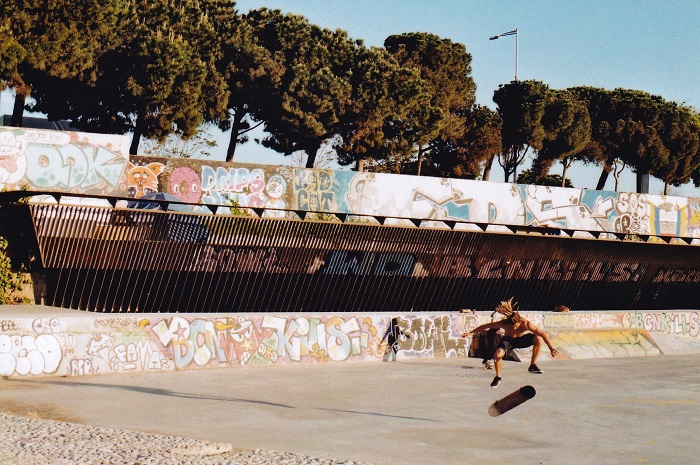
I’ll always have a soft spot for the raw, rough-looking videos from the ’90s. That look does not require the highest resolution or the smoothest possible footage. It also does not make a used VX1000 or a P2 camcorder the simplest first purchase. Tape capture, card readers and compatible editing hardware can become part of that decision; this list covers cameras you can buy new.
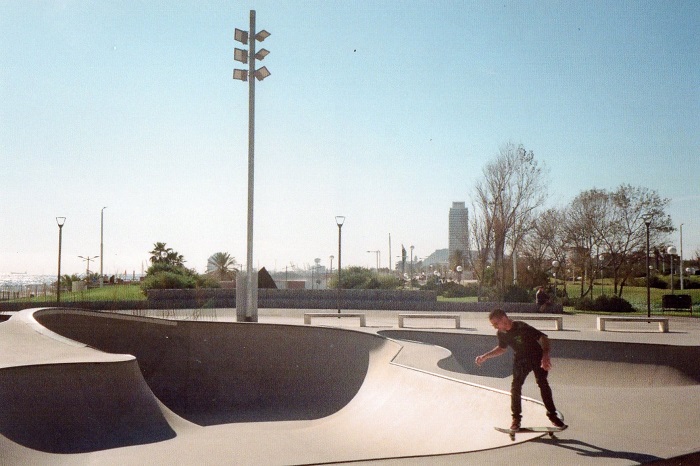
For a fisheye-led edit, work backward from the lens and grip. For distant tricks, a controllable zoom may matter more. For POV and 360° clips, check the mount, lens protection and editing device. None of those decisions is answered by megapixels alone. Keep enough of the budget for the parts that turn the camera into the setup you want to carry.
Our Three Top Picks Side by Side
- Optics
- 73
- Video
- 91
- Features
- 83
- Storage & Battery
- 43
- Optics
- 66
- Video
- 91
- Features
- 70
- Storage & Battery
- 43
- Optics
- 79 (highest)
- Video
- 91
- Features
- 85 (highest)
- Storage & Battery
- 79 (highest)